What using it actually looks like
Short answer
Four screens of the real product with example data: sending a video up and choosing where it goes, a post that failed with its retry waiting, the queue on the calendar, and the clicks each place sent back. Nothing here is a mockup and nothing here belongs to a real creator.
The four screens
Real screenshots of the product running, with example data. Under each one, what is happening on it.
Choosing where it goes
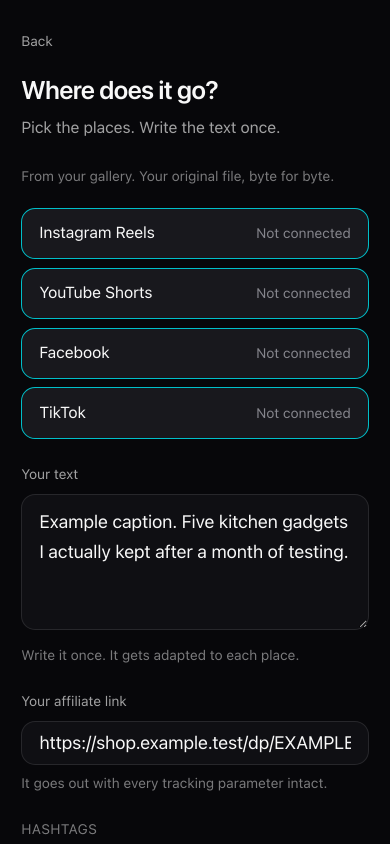
One video, the four places picked at once, and the caption written a single time. This account has no platform connected yet, so all four say so instead of pretending: a screen that faked a connection here is how a video quietly never goes out. Example data, not a real account. A post that failed, and its retry
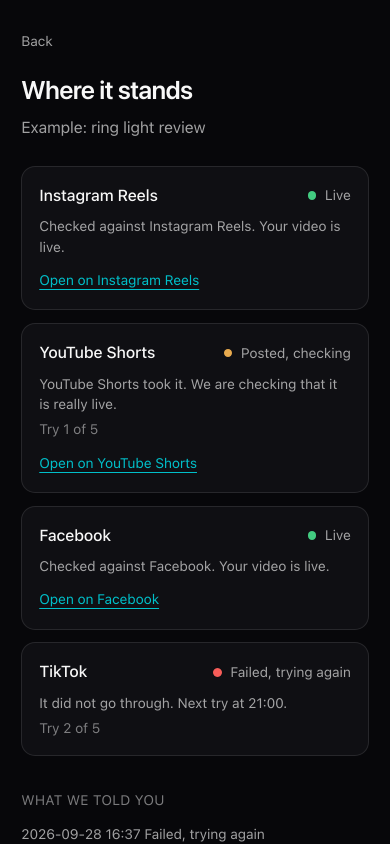
Two are live and checked against the platform, one is posted and still being verified, and the TikTok one failed and says when the next try happens. The count of tries is on screen because a silent failure is the one you find out about days later. Example data, not a real account. The queue on the calendar
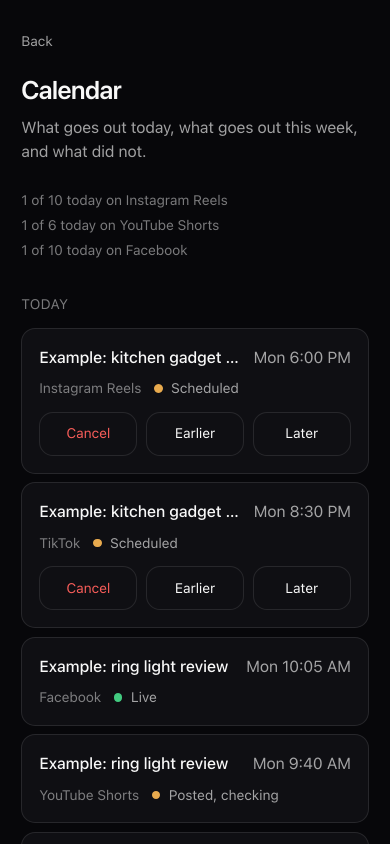
What goes out today, with the daily room left on each platform above it. Anything scheduled can be canceled before it leaves, and what did not fit that day moves to the next one with the reason written out instead of disappearing. Example data, not a real account. Clicks by place
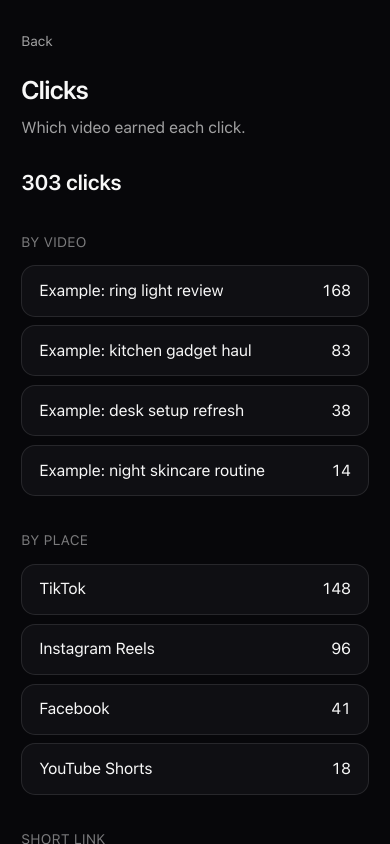
The same videos, split by the place the click came from. TikTok says in writing that taps on links shared outside its app are not in the numbers it gives you, so this split only exists if somebody measures it. Example data, not a real account.


What is not in these pictures
No numbers from anybody's real account. Everything on these screens is example data, put there for the screenshots and marked as example on the screen itself.
There is no dashboard full of somebody else's earnings either, which is the usual way this gets sold. A screenshot of a good month is not a promise, so we do not show one.
What people actually ask
Does it work on a phone?
- It is built for a phone first and these are phone screenshots. Recording, choosing places and publishing all happen with one thumb.
What happens when a post fails?
- You get told. We check with the platform that the video is really live, and if it is not, the check gets retried on a growing wait, never the upload, because republishing would put the same video twice on your account.
Keep reading
Ten videos and two places a month at no cost, and no card to start.